Siemens Gigaset 685IP Phones and Asterisk Review
[Update and Introduction: This article was originally posted on the 27th April 2008. I am still using the phones and am very happy with them indeed. I have had no operational problems to speak of. I make this updated comment because this is still a very popular article and new visitors read this daily but the date is only shown at the bottom.]
Last week I purchased a triple set of the brand new Siemens S685IP telephones. This is a DECT home telephone system with support for both PSTN and VOIP services. I’d spent quite some time looking for a decent replacement for our aging and now unreliable existing DECT handsets.
I bought these from a UK based on-line telephone vendor DSTelecom and their service and price was very good. I’d been waiting for this model to become available for a couple of months and they were offering the best price and the were first to get them in stock too!
There were a few reasons I selected these Siemens phones, but the main one is their ability to act as a basic telephone switch between handsets and incoming services. The Base unit can support up to 8 incoming services: 1 x PSTN, 1 x Gigaset VOIP Network, and 6 further VOIP (SIP) services.
This is the latest release and the handsets support very high quality voice between each other and on compatible networks. They also support Bluetooth so you can use a wireless headset and upload/download your mobile phone’s address book etc.
Here’s my personal review of these new phones for use in our home network. (Just click on the thumbnails for bigger images)
My initial impressions: Nice packaging and a good looking handset.
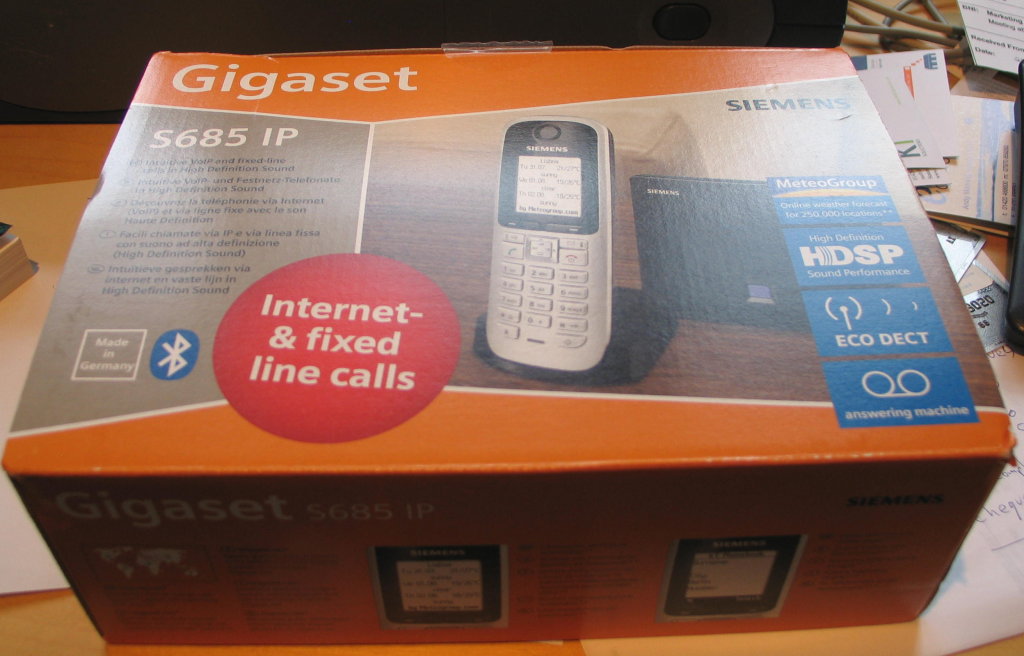
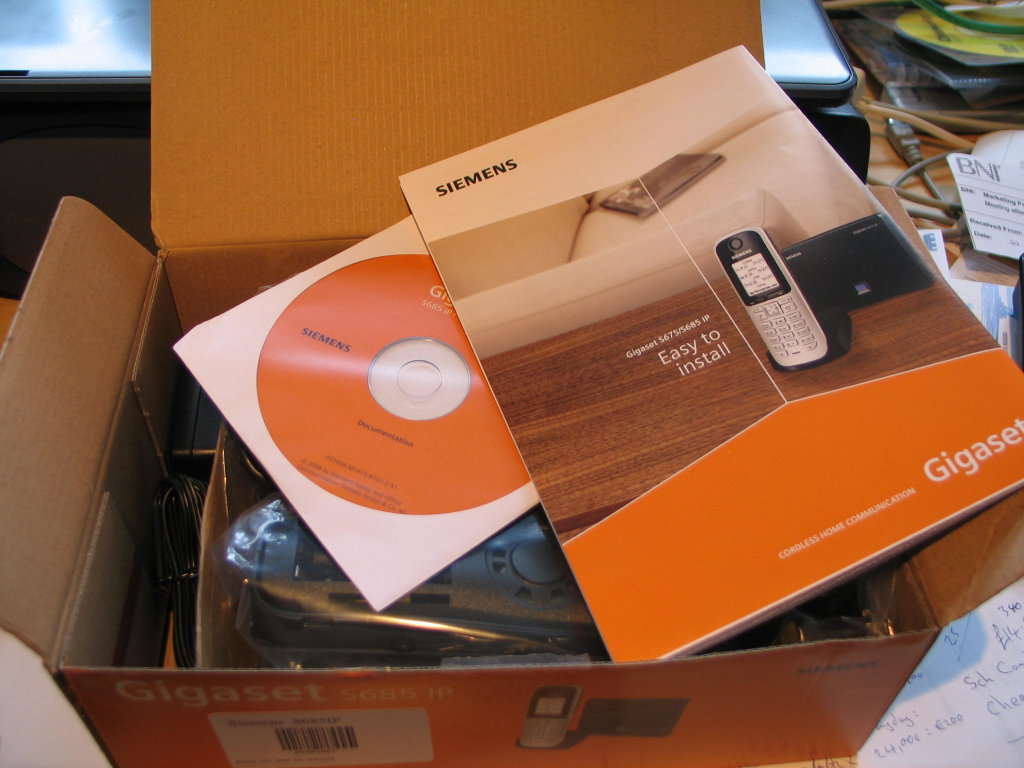
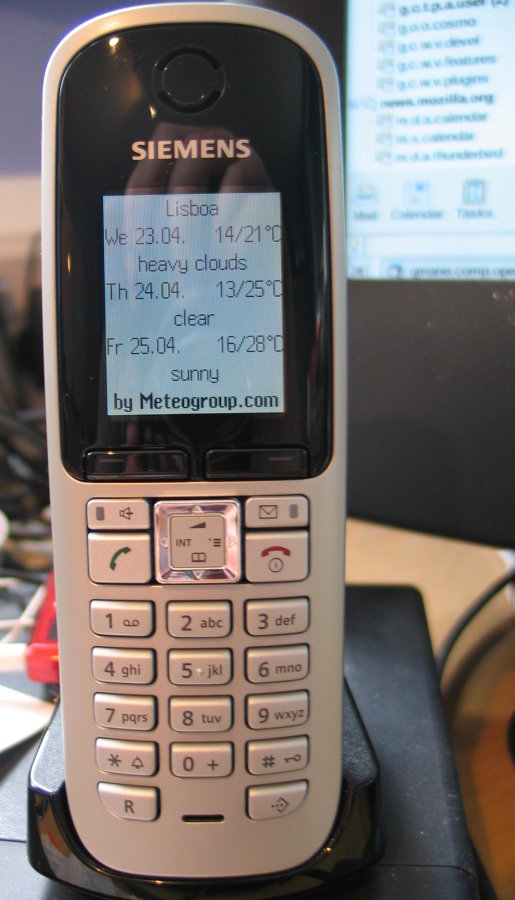
There are very easy to follow 1st time instructions that get the system installed and running. Once I’d plugged the phones in and got them charging, and base station in to the LAN, the phone started showing me the weather forecast in Lisbon! 🙂
Once the physical install is done, you can do almost everything else from the web based interface of the base station. I’ll cover that in detail in a minute.
But first the handsets. When you get them you need to do a first time charge and discharge cycle. The batteries are supplied (a pair of AAA rechargeables). The first full charge took between 3 and 5 hours depending on the handset. To discharge them all, I made internal calls between the phones and put them all on handsfree. It took a good 8-10 hours for them to get fully discharged. So talk-time is excellent.
The first thing my wife commented on when we were talking internally was the voice quality. She said it was brilliant! And having now just had a conversation with her somewhat hard-of-hearing father, he also attested to the much better sound than our previous telephones. So that’s good!
They have a nice big colour screen where you can – apparently although I haven’t done this yet – add pictures to your directory so the phone shows the caller’s face or avatar when ringing.
Anyway, all-in-all my initial impressions of the system was very positive indeed. Now let’s look at how the whole DECT/VOIP thing is configured and what really makes these stand out for a home phone…
Accessing the Web based user interface was easy. Here’s the login screen you first see:
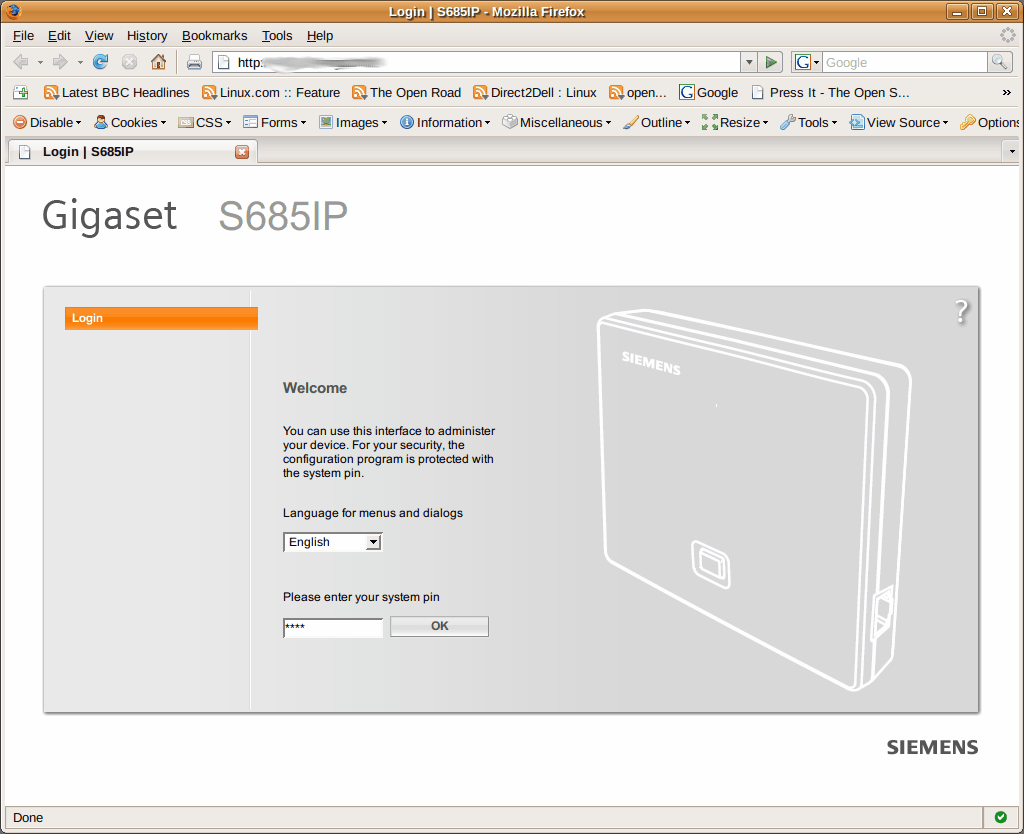
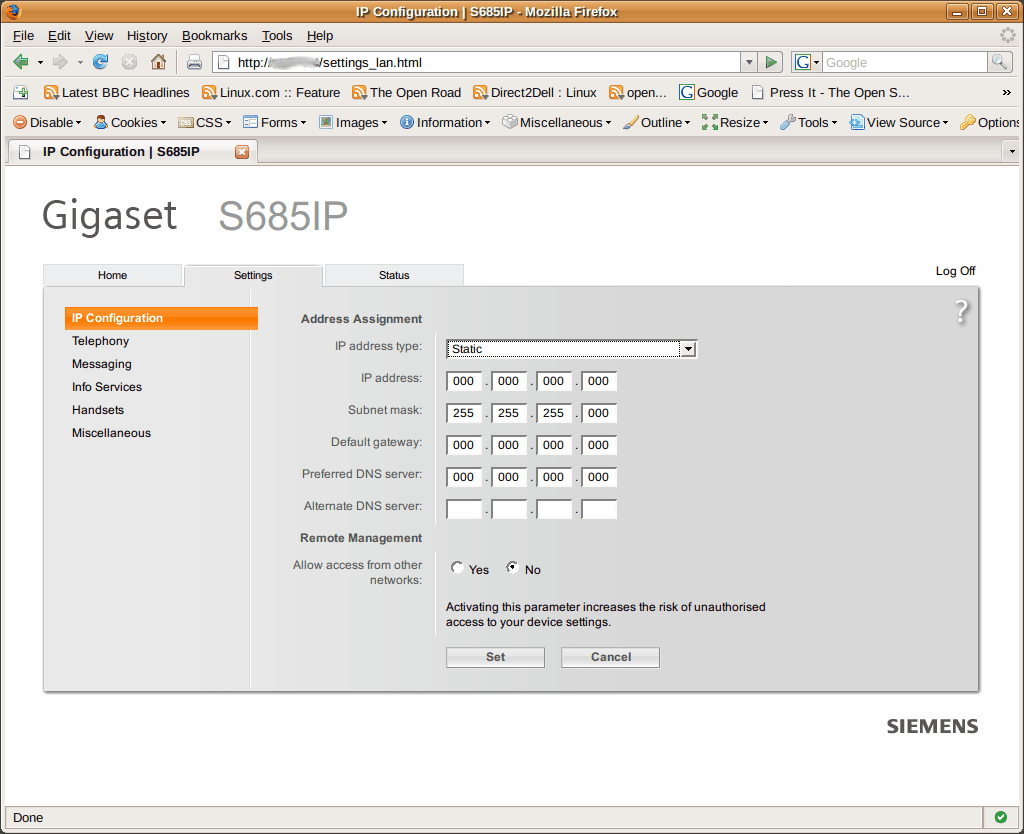
Due to the way I have our home network set-up, I used a static IP address for the base unit. It also supports DHCP however.
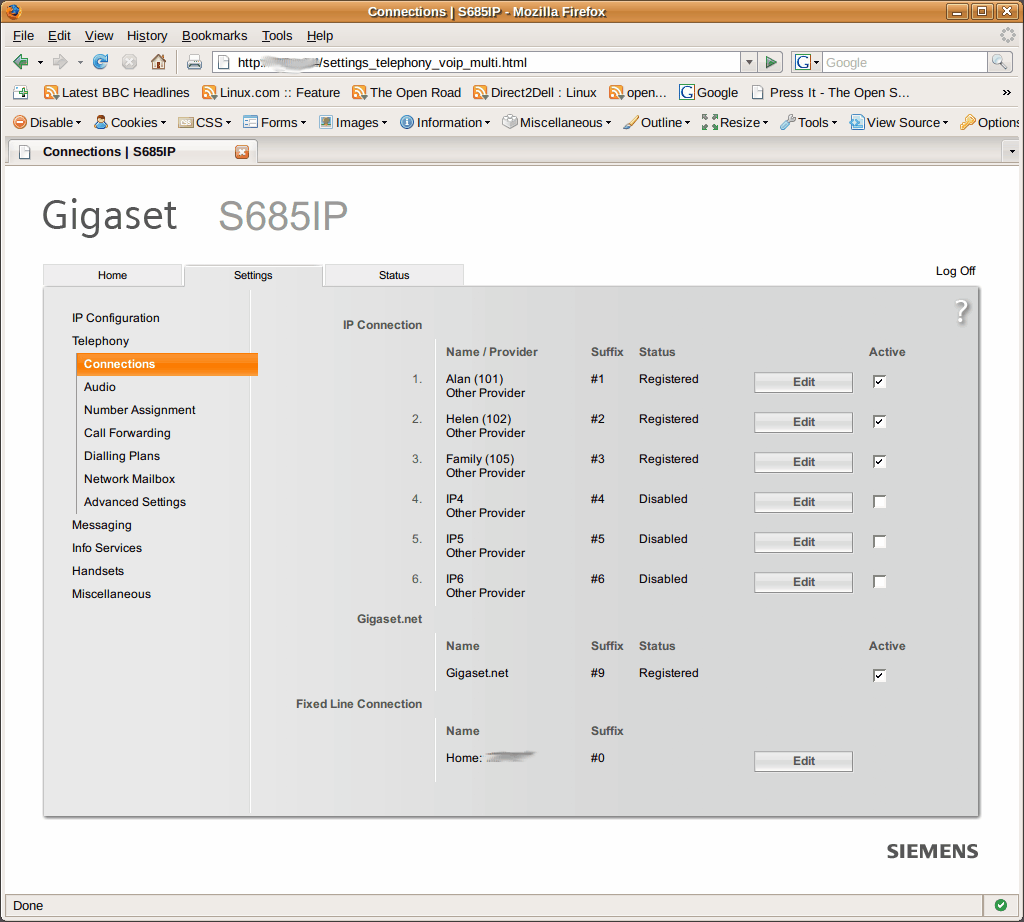
Next is to configure some VOIP service providers. For me it’s my Asterisk server… Only one change seemed to be needed to get the registration to work: Add subscribemwi=yes to your sip.conf. I’m not actually sure if this made any difference, as I think I didn’t click the “Active” box first time round. But apparently this setting is needed to get the message waiting light working properly when you are using Asterisk’s voice-mail anyway.
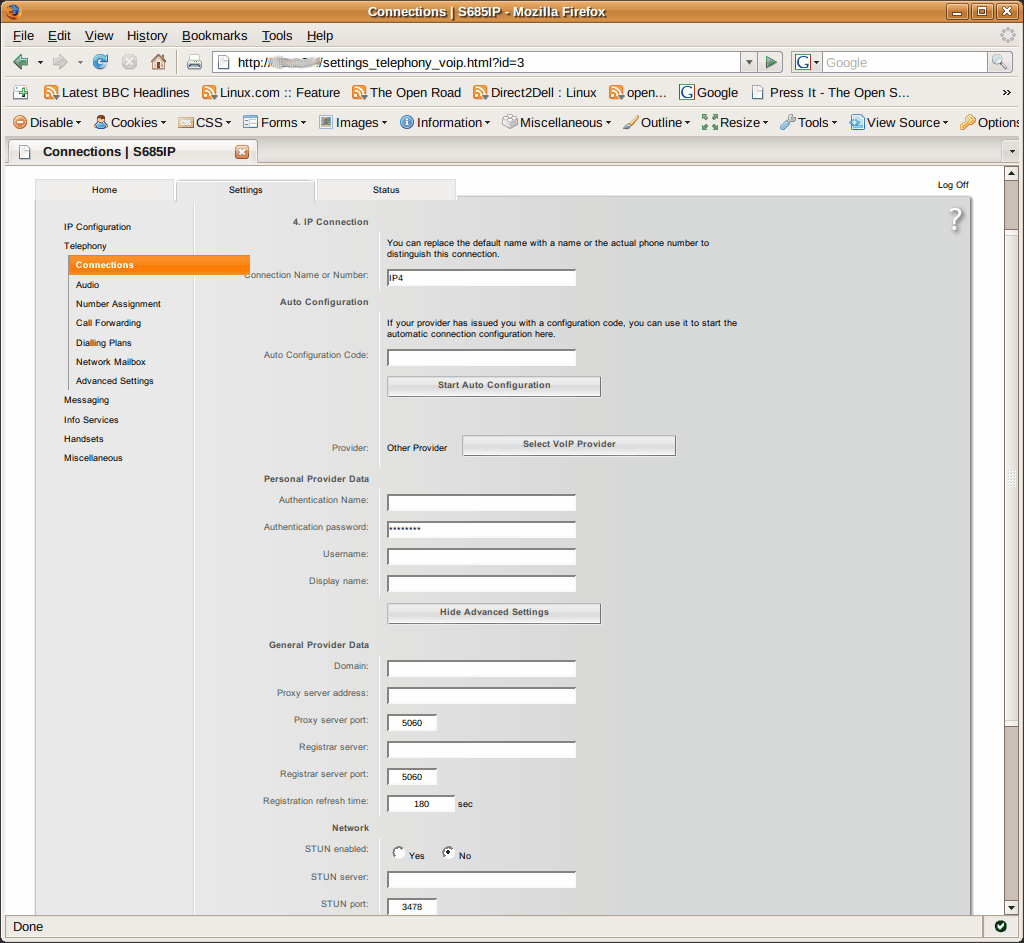
You configure the details for each service by clicking the “Edit” button. Here’s a default screen showing most of the options.
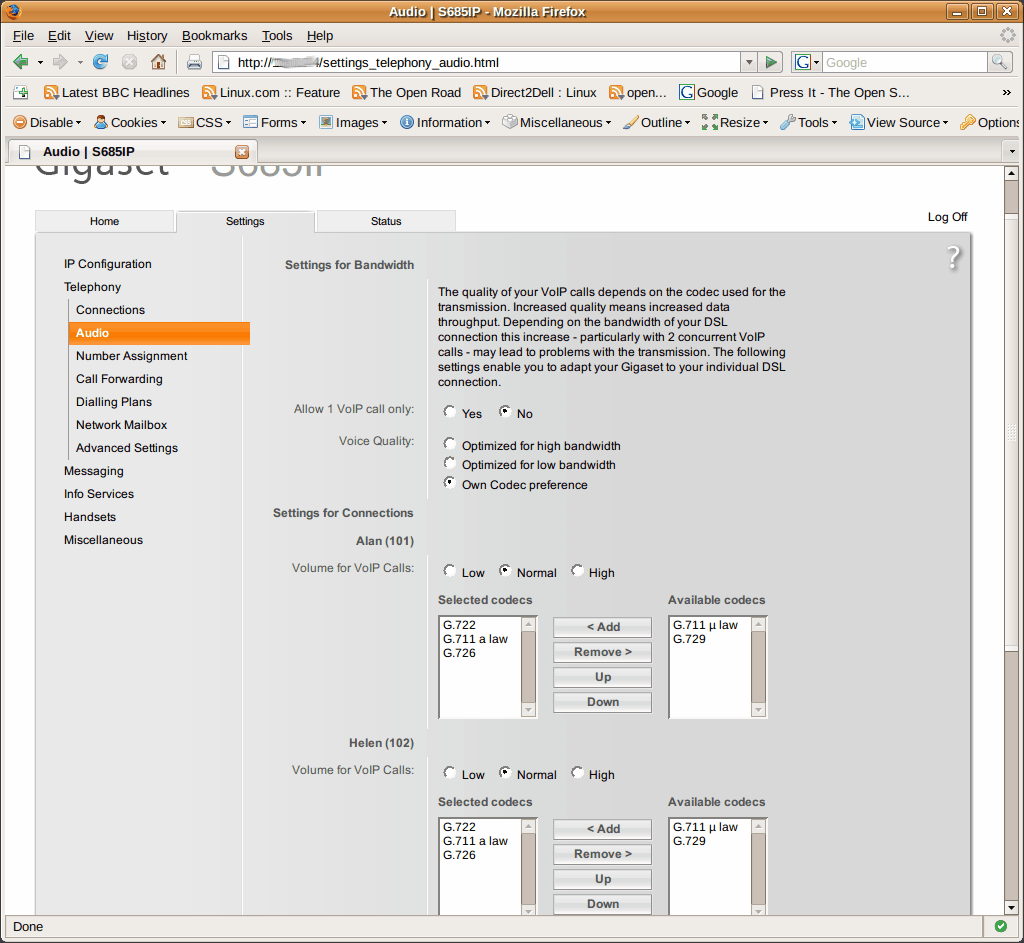
The next section allows you to select the codecs you’d like each service to support and their priority. As you can see again, it’s a simple, clean and easy-to-understand interface.
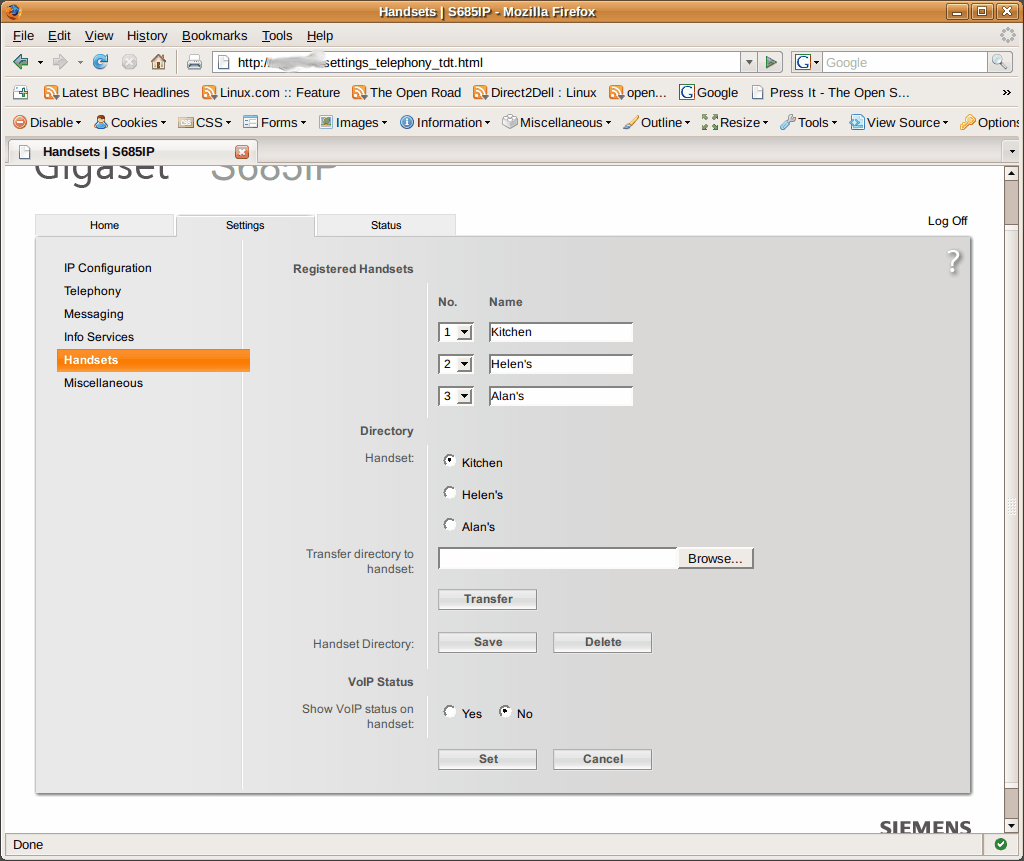
After that, you are ready to choose which handsets work with what services. I configured my handsets first to give them meaningful names: “Alan’s, Helen’s and Kitchen”. Note also you can upload/download your handset’s directory from here too. The directory needs to be in vcard format. I haven’t done this yet but I can’t see any major obstacles apart from the time it will take to get a csv spreadsheet into vcard.
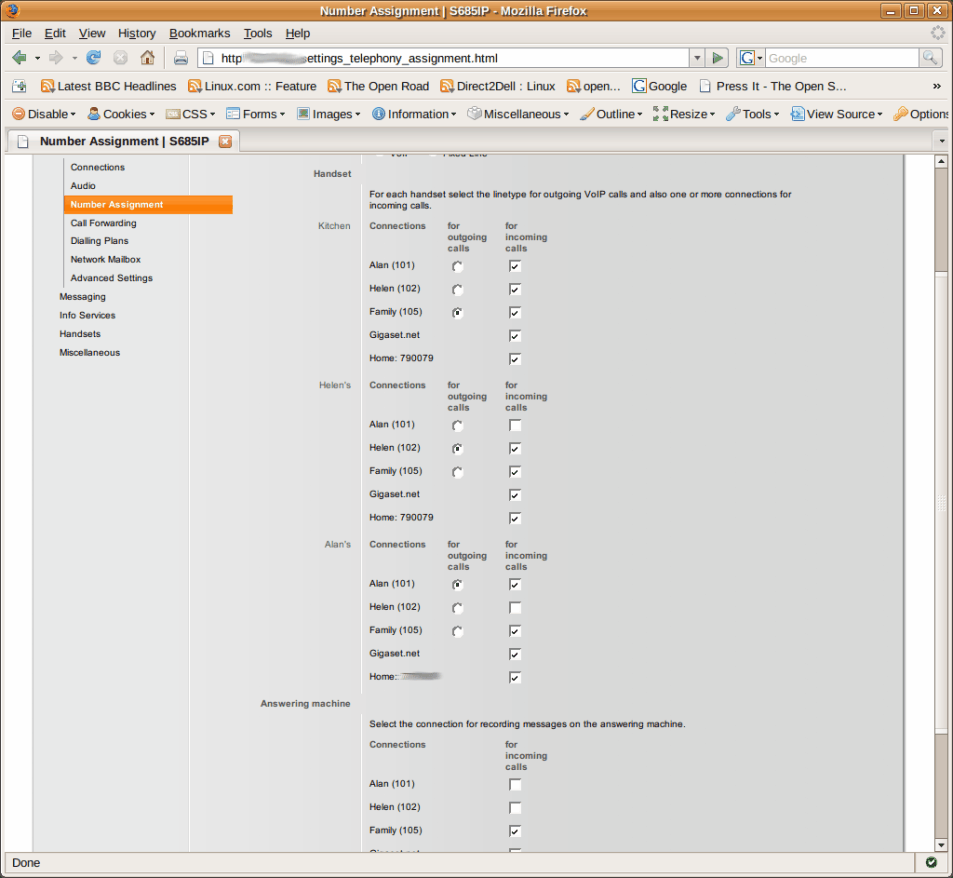
This is, for me at least, the coolest feature. From this screen, you can choose which handset rings depending on the service it is coming in on. And you can decide which calls use the built-in answer machine and which do not. It’s basic switch functionality and when you stick Asterisk behind this you have a really flexible solution to handling multiple incoming lines and different types of users.
My wife and I both run our respective businesses from our home offices. Now we have individual incoming VOIP lines into Asterisk plus the home PSTN service. Calls for my business ring, my phone and the kitchen phone. Calls for Helen’s ring her phone and the kitchen phone. Neither uses the Siemens Answer machine but the features of Asterisk’s voice-mail system. Calls for the family ring all three phones and use the built-in answering machine. You can configure this any way you wish basically.
Now we have a basic phone system set-up there are various add-on features to play with 😉
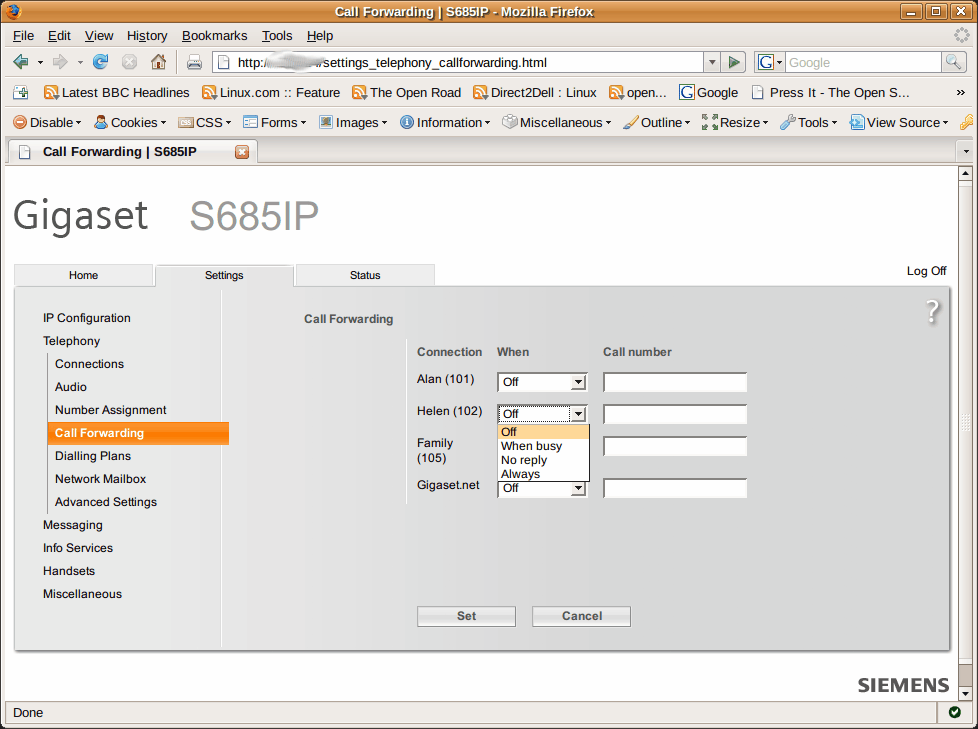
Here is the call forwarding screen where for each service you can decide what to do under certain conditions: “When Busy, No Reply or Always”. Simple but this is a home telephone system.
Next, you have a section for creating dialling plans. You have here, the ability to choose which service gets used for particular number sequences. So, for example, you could put in the international prefix for Australia and only allow numbers with that prefix to go via a particular VOIP service. You can also block certain number sequences completely too.
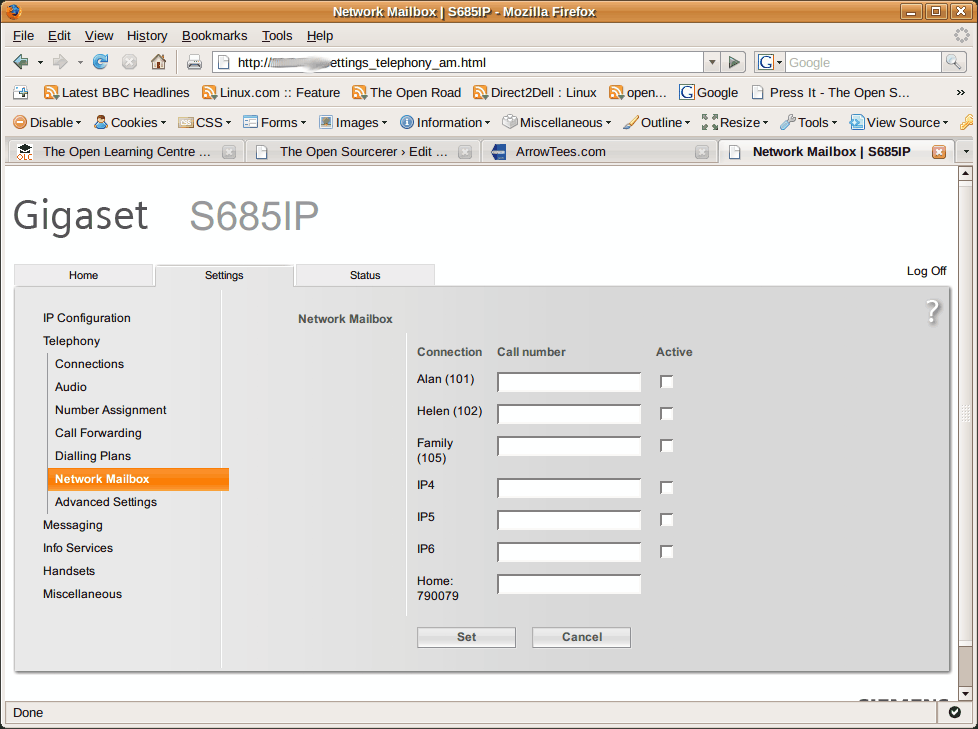
The Network Mailbox screen allows you to configure the voice-mail service for each provider. So for Asterisk that will be the numbers configured in voicemail.conf. This enables the service to work with the handsets so you get message waiting indications and access to the mailbox without needing to know the mailbox number.
Also in the Telephony section of the configuration tree is an “Advanced Settings” screen. This lets you configure the way DTMF tones are handled, SIP and RTP port numbering and a few other odds and sods.

That’s it for the telephony section. Comprehensive, easy-to-use and nicely laid out.
The next area is “Messaging”. The handsets support SMS type texting and there is an option to configure a jabber server (IM). The Siemens Gigaset VOIP network, which you get automatically subscribed too when you buy your phone is the default configuration, but you can change it to your favourite IM network should you wish. Not being a big user of either SMS or IM I haven’t used this. Maybe one of my kids will show me later!
Also under the Messaging section you can configure a POP3 email server. It is for the network, not per handset so I am not sure of it’s value. I suppose for a family who have a single email account it might be useful. But this feature doesn’t really do it for me. If it was per handset or per network service it would make far more sense.
After Messaging come the last few configuration pages.
The first is called “Info Services” and you can, via the Gigaset Network, configure a few somewhat limited network based information feeds. You can enter an RSS feed, or choose a weather forecasting service. The weather seemed more useful for me so I set it to show me the weather for London for the next three days.
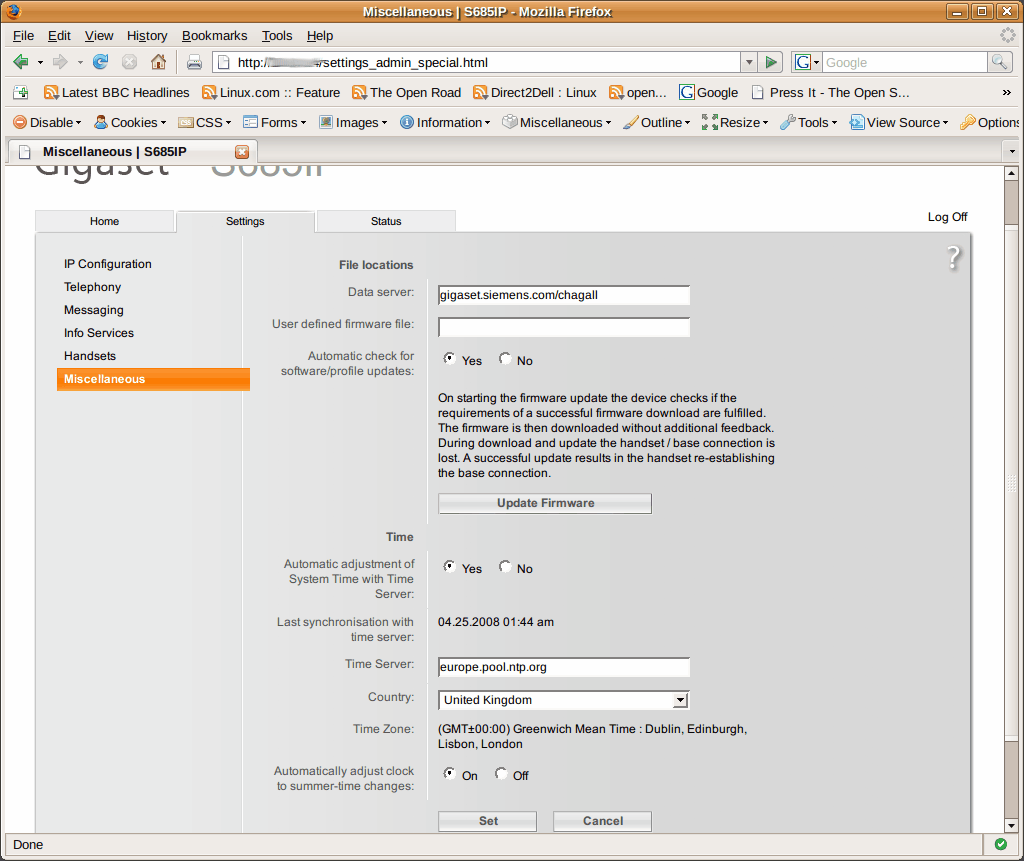
The final screen is the ubiquitous “Miscellaneous” settings. Here you can update the firmware directly from Siemens or use a locally stored file. You also get to choose the NTP server for the clock and whether to automatically deal with daylight saving time changes.
That’s the Siemens S685IP phone system. Having had them running for a few days now, I’m very pleased. Everything has worked, call quality is excellent, ease-of-use is superb.
I have come up with a couple of tricks I’d like Siemens to do that would really enhance the overall functionality however. Two are to do with time. And as there is an accurate and network-synchronised clock in the base station, I can’t see this being terribly hard to do to be honest.
- Use the in-built clock to allow you to configure different network connection settings. So, for example, after 6pm, If a call comes in my office number I might not want it to ring the other (our kitchen or family) phone. Perhaps during a weekend also.
- Ditto with call forwarding. After 6pm or during weekends forward calls to my mobile for example…
- Ditto with the dial plans. Being able to route certain type of call via different networks is great, but being able to choose to do it during certain hours would be even better…
- The email and IM features are nice but in my opinion they would be far more useful if it was configurable based on per handset or service basis rather than a single account for all devices.
- Also to do with the email feature; I’d like the option of IMAP as well as POP3.
I’m sure there will be some other ideas that will crop up have as we get used to them, but all-in-all my first impressions are that this is an absolutely cracking phone system for home and small business. When you use this with Asterisk of course, they get even better. Some of the time based features could possibly be got around by some fiddling with Asterisk. If I get chance to work something out I’ll write it up here.


@Simon,
Our handsets are configured with multiple SIP accounts some are unique and some are shared between several handsets.
You could also try posting a query on the asterisk users mailing list: asterisk-users@lists.digium.com. There are several S685IP users on there.
@Alan,
Thank you for your speedy response and comments. Interesting reading.
Do keep me posted if you experience the ‘blip’ again – as you say, since they’ve been working so nicely for you for a while, it seems strange you experienced the issue the other day but could well be a one off. I’ll investigate downgrading Asterisk as I’m at my wits end unfortunately.
The Snom M3s seem like the only other approach if I can’t crack it!! Just a shame the Siemens aren’t working for me (and whether I can now get a refund!!)
Many thanks again for your comments,
Simon
Having had issues with the S685 ip similar to some others – where handsets stop ringing – and asterisk seems to think that the phone is busy; none of the firmware updates fixed for us; our solution which we happily came across by accident was to switch off call waiting against the extensions using Siemens(which was not a big deal for our client). The only other consideration that may be different to others out there, is that our client’s trunks are currently 2x2isdn lines (4 channels), as the client is not yet ready to move to voip (contractual reasons).
If this helps anyone else – please report back.
Paul.
@Paul,
Thanks for your comments.
Have disabled Call waiting on every handset this morning (was only activated on 2 of 7?!). For others’ reference it’s located here: Menu –> Select Services –> VoIP –> Call Waiting.
Fingers crossed! Will report back
@Simon,
Actually we switched it off from the trixbox/asterisk end…..; did not think to do it from the phone side of things….
Paul.
Hi Simon,
I have instelled 6 Siemens IP 685 on my running asterisk server.
I got some “disagreeable” issues:
1) Some devices loose some time the registration… and on the display the user can see the message “looking for the voip provider” or something like that…
2) The call trasfer is an headHacke… Sometime when the user try to transfer the call the phone crach (you must close the phone call…). I tried transfer the call from the phone function.. and with the feautures os asterisk… same problem.
3)The audio volume is very low… From the handset i set uo all with high volume.. I have a Patton 4638 with 4 BRI… and some snom 300. I gain the volume till +4db straight from the Patton..
The volume on the Snom is perfet.. but on the 685 is still low..
4) Did anyone find a compatible BlueThooth headset working with the Siemens 685IP?
I tried with a NOKIA BH-101.. but unfortunately when i make a call i am not able to listen from the BlueThooth..
The firmware is the last one 021400000000 / 043.00
Any idea?
Thank Gian Luca
Dear
I C470IP merged with trixbox.
Incoming call on C470IP work fine.
I have a problem with outgoing calls you make with C470IP. Whatever call connection is established and all is well, but immediately after 20 sec the connection is interrupted.
Please for help
We apologize for the bad English
Thanks
Sinisa
Hi all,
Thought I should provide an update with my S685IPs and hopefully this’ll help Gian Luca too (apologies for delayed response).
Ok so I have two base stations with a collection of handsets on each.
I configured a ring group (oh ok, simple Dial statement) to call all of the extensions in our building, some of which belong to the S865IP base stations.
On base “A”, the phones have independent SIP accounts (all fed via my local Asterisk), as well as a SIP account entry on the base for a ‘shared’ extension which is set (‘number assignment’ on the base via web admin) ring all the handsets associated with that base.
To further complicate things, base “B” has three users, who also have desk phones too.
Whenever their desk extension rings, my macros take care of ringing both the desk set and the DECT handset concurrently.
When an incoming call comes in to the organisation, I pass the call to base “A”‘s shared account and also ring the other 3x users who have desk sets (and their DECT handsets ring too).
Now, here’s the gotcha. After incoming calls, base “B” starts to exhibit the registration problems (on my Asterisk console) as I explained in my post above. However, base “A” is fine (as only one SIP account is called, and the base takes care of ringing the handsets).
My only explanation is that the base stations (generally speaking) appears to not be able to handle multiple SIP messages arriving for extensions subscribed at that base, at the same time. It appears to get itself in a mess (registration lag/unavailable messages)… Rebooting the base resumes normal behaviour until another call is fired in to multiple extensions registered to the base.
I also notice (prior to rebooting) the base slows down and dialling out is unreliable and requires several attempts to get it working.
This is tenuously linked to the ‘call waiting’ issues Paul mentioned above. Interestingly, I don’t have any problems with base “A”, but “B” is still not resolved (unless I reconfigure things which is a headache). For convenience for our business and administration of, I’m using FreePBX.
The pain with this setup is, I use BLF/presence, so if an incoming call teminates at base “A” user, they are technically busy at the shared extension/sip account, not their individually assigned account. Fair enough due to the phone dealing with the handover to the handset, but anyone looking at their BLF status is mislead. Ho hum.
Ok, new topic now. Annoyingly, the S685IP doesn’t ring if you send it a SIP Alert-Info header. *rolls eyes*. As mentioned, using FreePBX I’d like to have alert info set for our desk set users to get appropriate ring alerting. Due to the ring group also calling the Gigasets, if I do configure alert-info, they stop ringing. I’ll have to be a bit more creating and create two ring groups (one for Gigasets, one for desk sets) with a pilot to call both (aka another ring group, lol).
My Gigaset users are used to different ring tones for internal and external calls. Fair enough.. they read the manual and think ‘INT’ calls ring tone can be set accordingly. The obvious problem is that transferring between handsets is an off switch operation (fulfilled by the base).. also, in my setup, if base “A” wants to xfer to base “B”, or even worse a desk set, they need to dial the extension via SIP (an external call on the base). You get the picture. The only way I can think to implement it is for every internal extension, add them to the Gigaset’s address book. Set the contact as a VIP, and then you can assign a different ring tone. Hey presto. Clunky but works.
Although, when the handset rings, the default external ring starts, then after approx 1 second, changes to the contact’s ring tone (address book entry for internal users).
Anyone else think that all ring tones on the S68 are awful!!?! Wish we could customise them..
Finally, anyone know how to leverage the online directory facility?
I am led to believe it’s specific to a certain or number of websites (tel.search.ch ?). Wouldn’t it be nice if one could discover the required messaging (probably SOAP, XML or some preformatted response) and point it to an internal directory source (i.e. customised interface via a script)? Maybe I’m just getting carried away!!
Cheers all,
Simon
Hi,
Am getting desperate for the info… just have a dead brick. Please help. If it is easier, you can e-mail whatever I need to me.
Thanks.
Hi,
Thanks for your very detailled article!
One thing I can’t figure from your article is if each handset can be seen (with the appropriate configuration) as a fully separate SIP account to an Asterisk running locally, to act as if it was several SIP phones plugged on the network (like if I had several Cisco 7960 SIP style phones for example.)
I guess it is implied by your “Number assignment” screenshot but could you confirm it? Can each handset be addressed individually from Asterisk?
Does other products from Siemens (A580IP, C470IP) support the same features?
Frederic.
@Frederic,
Thanks for the complement. Yes, you can address each handset as a separate SIP account up to the maximum of 6 SIP accounts. You assign the SIP account to one or more handsets. In our set-up here, I have two incoming numbers from my VOIP provider, one for my business and one for my wife’s.
When a call arrives for The Open Learning Centre, it rings the handset in my office and the common handset in the kitchen but it does not ring the one in my wife’s office. It also rings the handset in my business partner’s office too. When a call comes in for my wife’s business, her office phone rings, the kitchen phone rings but mine does not. You can be very flexible about how you assign accounts to handsets.
As to your other question, I am not sure. I believe that the C470/475 are similar but I have not used them so can’t be sure.
FYI – The article was written almost a year ago now and I am very happy with the S685IP – it has been reliable, has excellent sound quality and is well made.
Hi,
Thanks for your article.
I have bought a S685 IP, Using Voipcheap and another provider.
The system works for 1 or 2 days after that I get “Cannot register server” or samething like this.
The solution is to unpower the base station and power again. After same seconds everything is normal.
Is there a way to avoid unpower the base station everyday?
Regards
Jose
@Jose,
Thanks for commenting but I am sorry I do not have an answer for your problem. The S685IP phones we purchased almost a year ago work all the time.
It sounds to me more likely a hardware or psu fault.
I have exactly the same problem when connecting to my asterisk server, and I have to restart the base few time a day sometimes, any help welcome !!!
After many months of happy use my system is doing exactly the same thing. The base station drops off the network won’t respond to ping. It happens with or without DHCP configuration. A pity as in all other respects the phone is great but this makes the VOIP useless.
I’ve read the comments on Michael Grave’s blog about this too. Strangely, I have been unaffected by this so far. In fact, I haven’t even had a notice that there is new firmware available on my handsets so I am still on version 021910000000 / 043.00.
Until I see further data I think I’ll stick on this release too.
I’ve been in contact with Siemens and I have been given two choices. Return the phone to be fixed, which would leave me either without a phone or having to buy another phone while I wait or wait for the next rev of the firmware which was due “mid December”. I opted for the latter and have now programmed my computer to tell me when the phone disappears so I can power cycle it. Hardly idea and I await the new firmware with relish.
Since it is now January I hope the firmware arrives soon.
why not to use an auto timer ?
Regards
Fabien
@Fabien,
Thanks for the suggestion.
why not to use an auto timer ?
I dont know if it will work. Because it can loose the connection after the auto timer.
@Alan Lord,
Thanks, I have talk to support. I have open the port 5004 in the router.Will let you know if it solve the problem.
Regards
Jose
Just in case other prospective buyers of the Siemens S685IP are put off by the lack of a Mute option, I have just bought a set and can confirm that MUTE FUNCTIONALITY IS NOW INCLUDED ON THE HANDSET FOR BOTH FIXED AND VOIP CALLS via the latest firmware update as issued 04/2009 (Version: 02184).
As it says at http://gigaset.com/shc/0,1935,hq_en_0_152411_rArNrNrNrN_variation%253A-5_pageType%253Adownloads_imagePos%253A0,00.html#content:
“Mute function. Turn off the handset’s microphone during an external call with the left display keyâ€.
I have tested this and it works as a normal mute for both fixed line and Voip calls. So looks like Siemens are good at taking on board customer concerns!
Hi, again.
The unit worked 3 days aftter that I have upggrade the firmware.
Now peopel can call me and I can talk to them.Problem is when I try to call,I cant hear the other side and theey dont hear me.
Have call the support they dont have a solution.
I have used a Nokia N95 with voip in this network and it works, so it should not be any port forwarding problem.
Regards
Jose
Hi, again.
Problem solved.
Used wrong codec 🙁
Regards
Jose
Hi Jose With codec dit you remove or change? dit you Change\remove on bouth sides?
Regards
Ovi
Thank your for this article. I understand that up to 6 handsets can be addressed from Asterisk as individual SIP accounts; can the FXO port be likewise addressed? In other words, could the base-station be used by Asterisk as a PSTN gateway?
@Shamus,
Hi. Technically, the SIP accounts are configured on the S685IP base, which register to your Asterisk. SIP server (not the other way ’round).
The base has 1x PSTN breakout which can only be accessed by all of the handsets affiliated to the base.
There is no bridging/trunking capability to permit access _from_ Asterisk _to_ the FXO port (as you’d expect to get with an ATA device).
Regards,
Simon
In a way, you can think of the S675IP PSTN line as a failover that will work even if the Internet connection is down. This is one of the phone’s best features, IMO. It also allows you to either make all outgoing calls to default to that PSTN line, to use the simple dialplan to make sure the emergency number goes to it, or to force its use by dialing 1234567#0. Very flexible.
Agreed on having a PSTN failover is a valuable feature. However, I was thinking a base-station that included an Asterisk-addressable FXO port would make for a very neat system. Build your Asterisk server on a fit PC 2 (http://fit-pc2.com/wiki/index.php?title=Main_Page), then since the base-station offers an FXO port, no Digium hardware required for faxing/failover etc.
Thanks for the update though… now if only Siemens would hurry up and release this in North America!
dear all
I hope you can help me out… I was on the phone when the battery got empty.. I hang up and let the phone recharge. 8h later I returned and saw that someone called (red light blinking). PROBLEM: the display seems to be empty. No letters, no icons, no anything. Nada, Zero. I bought my Siemens S685IP in February 09. Any idea how I can make it “work”/be readable again? Plugged/unplugged/pressed the blue button on the station – all done, nothing happened. I want to see who called me, I want to be able to dial and choose names from the included phonebook, etc. – unfortunately, all the letters disappeared. Please – HELP!!! 1000 Thanks!!!
Anybody know a decent Bluetooth headset for use with this phone?
@ferg,
I use a Plantronics 520 Bluetooth ear thinggy and it works OK on both my Nokia mobile and the S685IP.
HTH
Al
Hi, I would be grateful for some help. I’ve just installed a couple of S685s and all is working – I can make and receive IP calls using Sipgate. The only thing I’ve found is that for outgoing IP calls, I hear a ringing sound for a few seconds and then silence – though the other end is still ringing. When the call is answered, the audio is fine – I find the silence a bit off-putting as I’m not sure that the other end is ringing. Anyone else have this problem and found a solution? (or is this normal?)
Hi I have installed the above phones on my system (connected throught a Belkin N1 Router) and I have been getting a problem with speaking to anyone on the phones internally or Throught voip (throught voipstunt) and it then drops out. Land lines calls work ok and does not time out. Has anyone else had this problem. I have also had my pc engineer have a look and we can’t work out why this is happening any suggestions (All the above settings are the same we do have a static IP Address so I can’t see that being the problem).
HI All,
Please can anybody help with “simple” Gigaset c475ip problem? The phone has strange behaviour where when people try to leave message on answer m/c they get reply “Sorry, call minder is full. It can’t take your message now…” – then busy tone. I have crawled all over phone setting and manual but cannot see anything related to this problem. The ans mc image is displayed at top of display.
Ouch! I’m coming up to end of year guarantee!
Orange just took over my fixed line from BT – but I can’t see how that should affect things?
OK mystery solved. Orange put me on BT Call Minder answering service (dial 1571). Messages were diverted to this service and the Gigaset was denied any recording. I have to get the 1571 service disabled. Hey Ho..
I have been considering a Siemins 685IP/dect phone for some time but I am yet to be convinced that the phone fullfills a complete plug and play capability yet,a complex piece of kit which I hope will have its faults ironed out soon,I look forward to the “latest version now with complete plug and play capability”
mel.
Hi,
I have Nonoh as my VOIP provider which I use via downloaded programme or via Fring in my Nokia. However, I cannot register it in Siemens C475IP.
Could anyone help, please?
Thank you in advance!
I pleased that some of you are having luck with the siemens s685ip and asterisk. I have five of these handsets registering with a single asterisk extension on an asterisk box internal to the network. Its been a nightmare and I would strongly recommend that you look elsewhere if you want a ‘dect connected to asterisk’ solution. Over the lat year we have had the following problems: Intern=mittent non registration of handsets, silently so you dont know it has happenned – you just dont get calls, MWI’s not working or getting ‘stuck’ on the handsets, incoming calls being dropped randomly, base stations locking up to only be recovered by hard reboot and nowm with Asterisk 1.4.27 and the latest firmware (022140000000 / 043.00) we are seeing calls that progress through to connection and just before the path is established the Siemens loses registration with asterisk and the registration occurs again.
These handsets were very expensive – we have five in our house and they have taken up hours of my time trying to make them work. In comparison I have a wired Polycom 601 IP on my desk that just works – day in and day out, all the time, whatever version of asterisk I have installed. I dont say this for any other reason but to save you time in the long run – dont be fooled by the Siemens kit – it didnt work for me.
Thanks for the comments Geoff,
There do seem to be some who have had problems similar to your own and others who haven’t.
Our own experience with these phones has been really fine. We have two sets of S685IP (3 handset systems) connected to 2 asterisk servers and have not had any issues of note at all in nearly 2 years of use.
Just to update on the problems with calls using G.722 coded with firmware version 02214…
Today I nervously took the plunge and updated my S685IP’s firmware to latest version 02223. Everything seemed to be working OK. I then re-added the G.722 codec to the list of “Available codecs” for my VOIP provider (I had to remove that codec after the previous 02214 update in order to make calls successfully to certain UK 0870 & 0845 numbers), and on testing I can confirm that I CAN now again make calls to UK 0870 or 0845 numbers OK. Yipee – so looks like the latest v02223 firmware has fixed the problems when dialling out with that codec :¬)
Geoff Tothil: I note you’ve said “and the latest firmware (022140000000 / 043.00) we are seeing calls that progress through to connection and just before the path is established the Siemens loses registration with asterisk and the registration occurs again”.
There’s been several posts on other forums about the problems caused by this firmware upgrade, and I personally am still awaiting an update on the problems from Gigaset Tech Support. Last I heard from them was on 12 Nov when they said “Regarding your query,we want to inform you that the encounterred issue has been escalated to the Second Level. The issue will be tested by our technicians,and you will be contacted with an answer as soon as possible”.
In meantime for temp workarounds to the problems caused by that firmware update, see the latter posts on http://community.plus.net/forum/index.php/topic,75953.new.html#new
OR
http://www.dslreports.com/forum/r22553063-Gigaset-US-Update~start=140?r=0.663731077724275
I read about Geoffs problem and got surprised. I have one S685IP wih 6 handset, one S450IP with 6 handsets and one C450IP with only one handset. I have been running Trixbox 2.6 for a year and now I run trixbox 2.8. Without any problem.
I guess I’m lucky!
Hey guys, have a question, own a 685ip, and enjoy it a lot (partly because of help on this site!!)
Now i just bought a 675ip as well, and i tried to transfer contacts through .vcf, however, no dice… it shows 1 entry for 5 secs, then goes back to home screen without doing anything… Any tips? TIA
I wrote this post about VCard formats on the S685IP some time ago. And do check the comments too.
HTH
Al
Hi Alan, yeah thanks, read that, and used it for my first phone!!
But was really looking for a way to pump my 250contacts directly from the 685 to the 675, strange enough it doesn’t work right away, (you would expect the format to be the same), and i really dont feel like changing 250ctcs again… anyway will figure it out, (unless someone has an easy answer.. lol)
thx and happy holidays!
PS. Found the solution.. The output by the 685ip was wrong, everything connecting in 1 long line (in vcf format), solution: Open the vcf card with wordpad (this will bring the “tabs” and “enter” back in the file, next copy-paste the contents in a notepad file (.txt) and safe, and after that just change the extension from .txt into .vcf Sounds stupid? Well it worked for me.. Grtz to all.
I can’t believe how lucky we “VoIP Geeks” are that a large phone manufacturer built this device! We’ve been using it in our home office and I just bought another base and handset for the other office. For the record, I prefer the S675IP, but I do have one 685.
We’ve also been lucky that the North American head of sales has participated in our Friday conferences (and gave away several S675IP). Not only for the free phones, but especially since he got Siemens Gigaset developers to listen to us for firmware improvements. I’m told there is a NEW revised firmware out that is to fix a couple of outstanding issues.
If you don’t know about the VUC, please come and check it out, you’ll be pleased at the welcome you receive there from a great VoIP community. As David Duffet, UK Asterisk consultant and longtime VUC participant noted last week, “This must be a record. 15 minutes into the call before anyone mentioned the Gigaset line!”
Regards,
Randulo
http://voipusersconference.org
Hi,
I have Nonoh and WebCallDirect as my VOIP providers which I use via downloaded programme or via Fring in my Nokia. However, I cannot register either of them in Siemens C475IP.
Could anyone help, please?
Thank you in advance!
I thought that, in the interest of fairness to Siemens I ought to let you know how things have gone with the S685IP recently. Despite the problems I persisted and got the units fairly stable – only requiring restart every couple of days. I really didn’t have the time to worry about this too much but in the course of upgrading the network I replaced an aging Belkin Gb switch with a new D-Link smart switch.
Overnight my problems pretty much disappeared! The 685 base station retains registration with the asterisk server and calls connect very quickly. The base is directly connected to a port on the D-Link.
There is the option to turn on IEEE 802.1p QoS on each port that VOIP runs through but at the moment this does not seem necessary as the quality is pretty good.
So far then, so good. Although Im absolutely sure that the majority of my issues with asterisk integration were initially due to unstable firmware, it does appear that at least some of the disconnections from the server were due to the router. Although of academic interest I don’t have time to work out the reason – Im just pleased that it all seems to work well now!
Moral of the story – although there may be lots of other people having problems with a particular piece of hardware don’t assume that your problems arise from the same causes! I suspect that if I had looked at my Wireshark output more closely I would have been able to identify the switch as being, at least in part, the problem. Happy New Year!
@Geoff, thanks for coming back to share that info.
Routers are kind of like benevolent dictators, they protect you from threats but they also protect you from things that are in no way threats.
Is it possible to use my S685IP with Vonage as Tesco is pulling the plug on their VoIP service. Set up data would be aappreciated. Vonage say they do not support this phone.
Probably yes.
There is a generic page on Vonage’s website for setting up SIP phones. http://www.voipfone.co.uk/General_Phone_Setup.php
Thanks Alan. Had a look but cannot find any setup info. However, I have subscribed to VoIPFONE and set the S685IP up to call out and receive calls using their service and also to receive calls on my Tesco line – Tesco are pulling out of the Internet Telephone market and will refund my pre-paid call credit when their service ceases on 27th April. I have also signed up to try Vonage, hence my posting as their V-Portal adapter is still on its way to me.
since some days, my C470IP cannot connect to the voipcheap.com “cannot registrar… to the server”. My C470IP worked very good during 4 months.
Has anyone some ideas ?
Thank you.
[…] had intended to review each model but found that Alan Lord’s review of the S685IP was already a good resource for the middle-level S675IP model. The only difference between the […]
Very nice article. I have installed a Gigaset 685IP Base with 5 handsets and everything is working very nicely. One issue I noticed is that only two VoIP connections can be connected concurrently. Is is not an issue at the moment, but I wonder if there is a solution to scale this up? Currently the phone sits on a very fast broadband (up and down) connection. Simply adding another base-station would not open up additional VoIP lines. Any ideas?
[…] start I recommend you read the review offered by Alan Lord at The Open Sourcer.com. In his review Mr. Lord details his use of the S685IP […]
[…] start I recommend you read the review offered by Alan Lord at The Open Sourcer.com. In his review Mr. Lord details his use of the S685IP […]
[…] his experience and Alan Lord’s earlier review I’m thinking seriously about acquiring one myself. If it works as well as they say then it […]
Just wanted to say thank you. Its really helpful to read a website/blog full of useful information. Very kind of you to take the trouble to do this.
I am a bit of a techno idiot and have been looking for some honest advice on the Siemens S685 IP phone and reading this really helped.
Thank you
Hi
since I have changed my router, I can call (my provider is poivy) with my s685ip, The receiver can hear me but I cannot.
Is there any setting I need to change?
[…] Since that review was published a number of people have commented that the A580IP was perhaps a bit too spartan in its feature set. At the time I thought it best to describe the lowest cost system being offered, especially since the S675IP was already reviewed elsewhere. […]
I’ve not been able to update my c685 for ages now – constantly getting “Tranmission error 400”
What do I need to do to fix it?